
Short answer: Publishing a children's book on Amazon KDP is free. You set up a KDP account, enter your book details, choose an ISBN, pick a trim size with premium color ink and bleed, upload an interior PDF and a one-piece wraparound cover PDF, set your price, preview the files, and publish. KDP says it takes 3 business days for a book to go live. The paperback detail page can take up to 72 hours to appear on Amazon.com. A typical 32-page picture book can be a KDP paperback, but not a KDP hardcover, because hardcovers need at least 75 pages.
KDP facts last checked: October 15, 2026. KDP changes its rules and costs. Check the linked KDP help pages before you publish.
In this guide: Before you start · 1 Account · 2 Book details · 3 ISBN · 4 Trim, ink and bleed · 5 Interior file · 6 Cover · 7 Price and royalty · 8 Preview and proof · 9 Publish · Kindle eBook · AI art · Common mistakes · FAQ
Have these ready before you open KDP:
| Format | Page range on KDP | Fits a 32-page picture book? |
|---|---|---|
| Paperback, premium color | 24 and up (maximum depends on trim) | Yes |
| Paperback, standard color | 72 and up | No |
| Hardcover (all trims) | 75–550 | No |
Source: KDP Print Options and Set Trim Size, Bleed, and Margins.
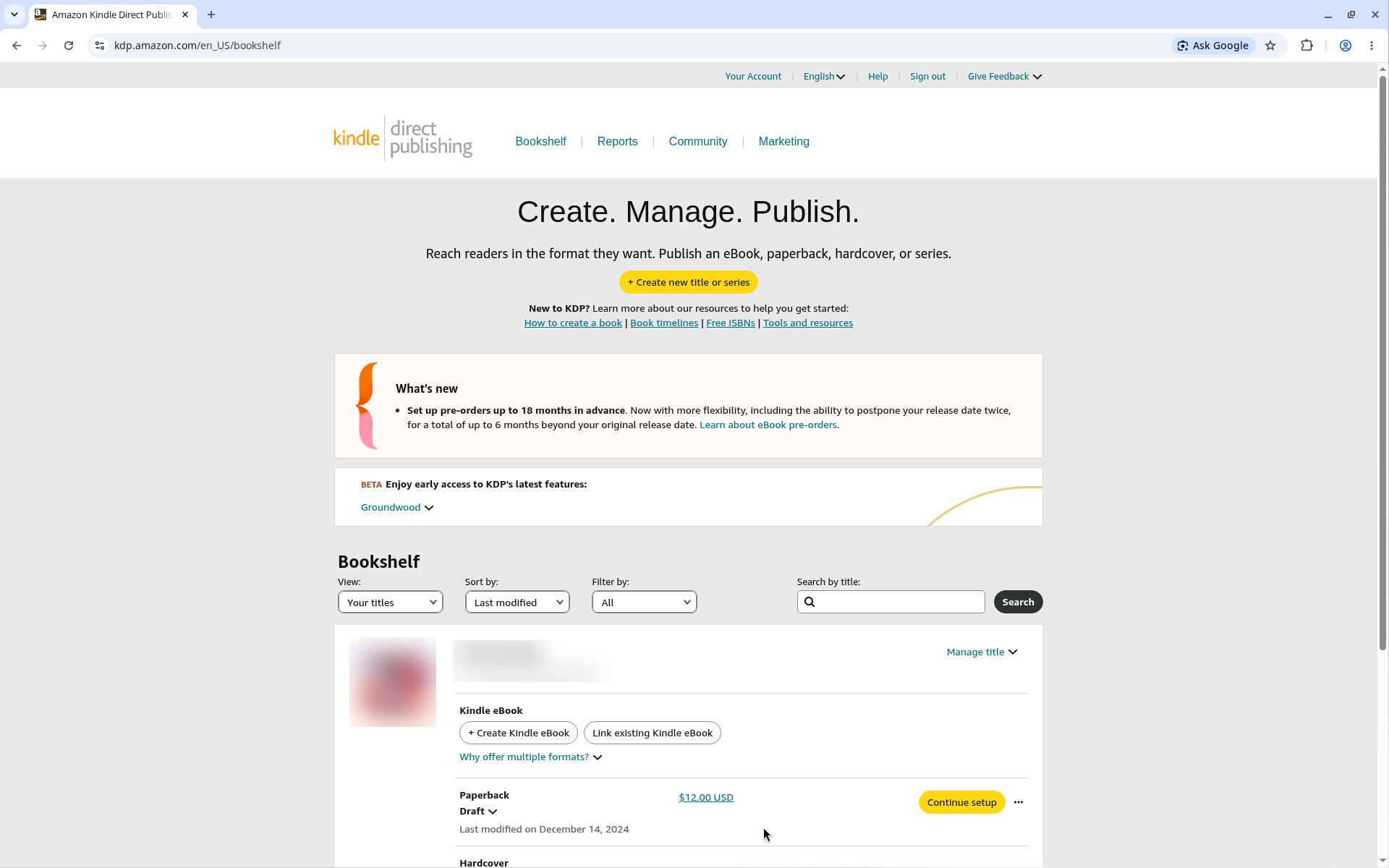
This guide covers the paperback, from step 1 to publish. The Kindle eBook has its own short section below.
If you still need illustrations, see how to illustrate a children's book or how to hire a children's book illustrator.
Answer: Sign in at kdp.amazon.com with an Amazon account, or create one. Then add your author, payment and tax information. KDP does not charge you to publish: "Kindle Direct Publishing is free to use." (KDP Earn)
KDP lists what you need (Set Up Your KDP Account):
Two rules to know:
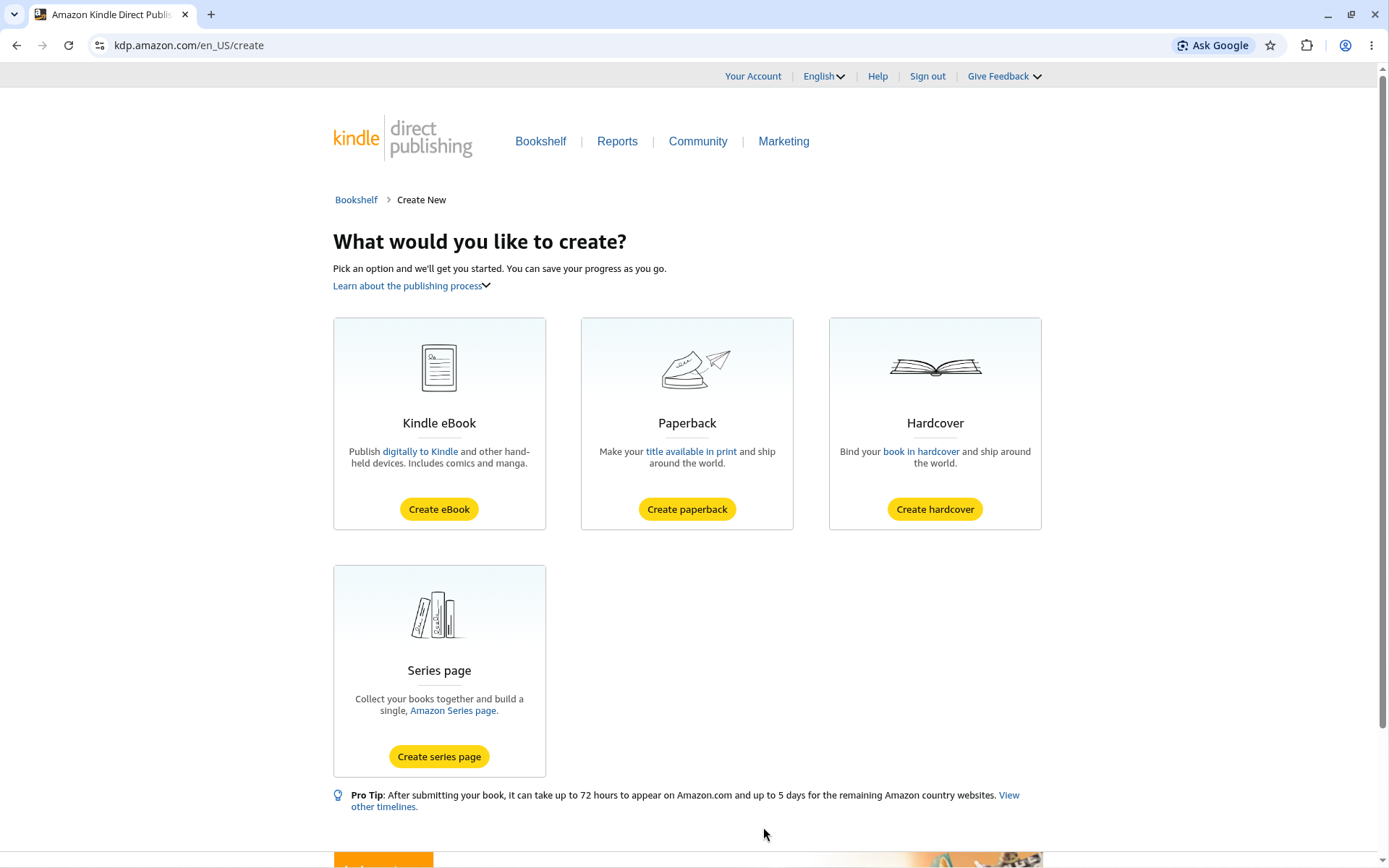
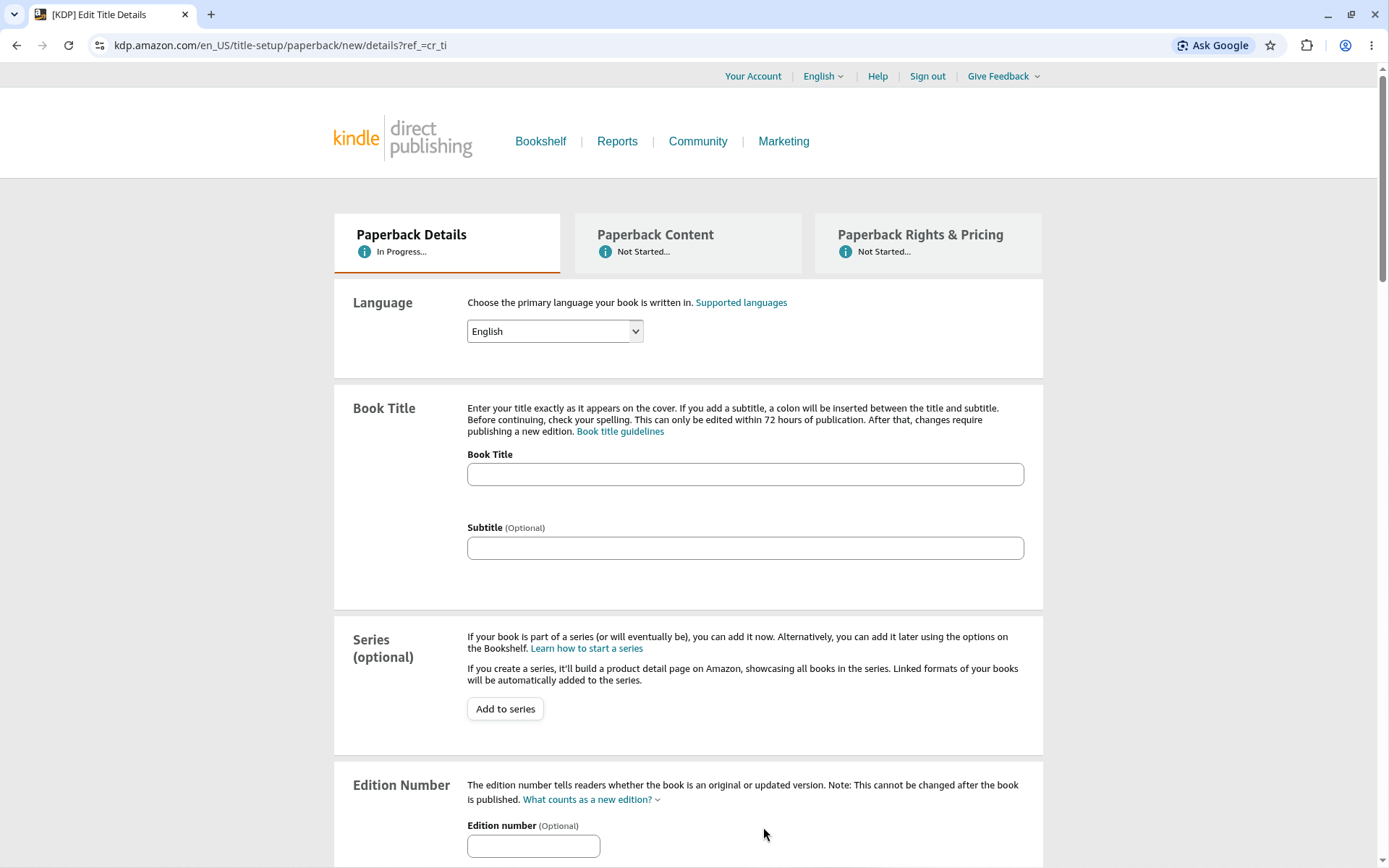
Answer: On the Paperback Details page, enter the language, title, author, description, publishing rights, reading age, marketplace, categories and keywords. Take care: KDP says "some of these fields can't be modified once your book is published." (Enter Book Details)
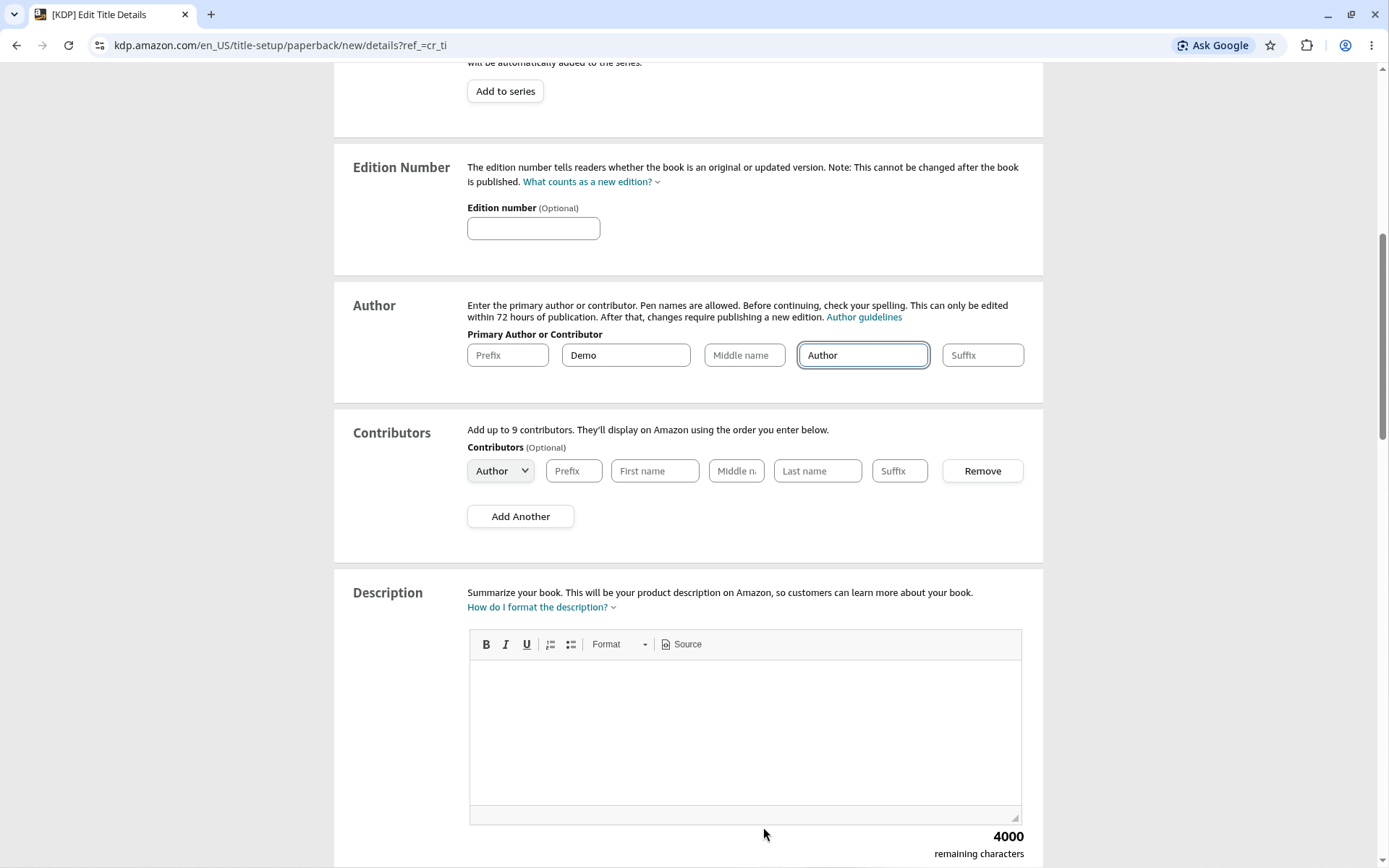
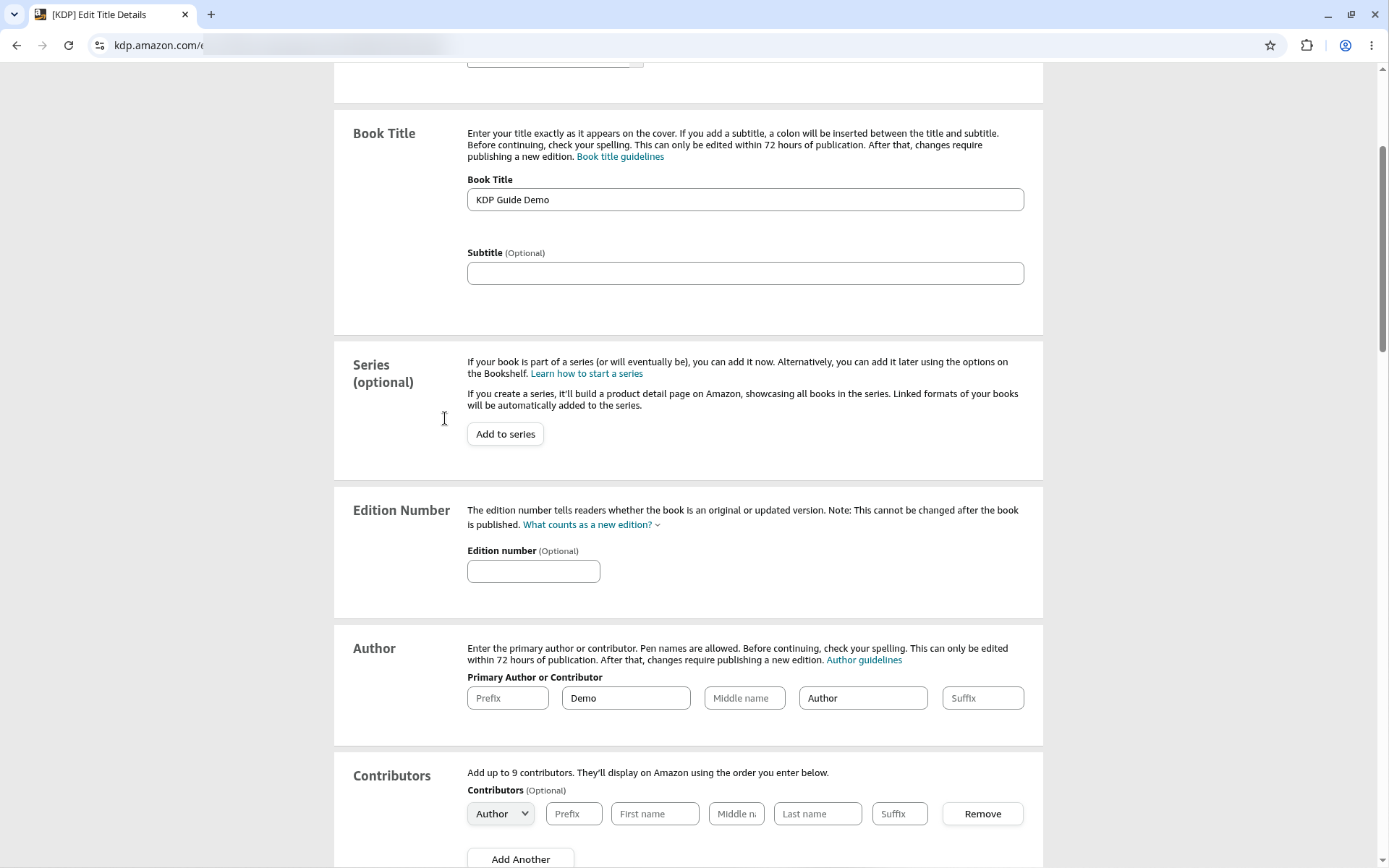
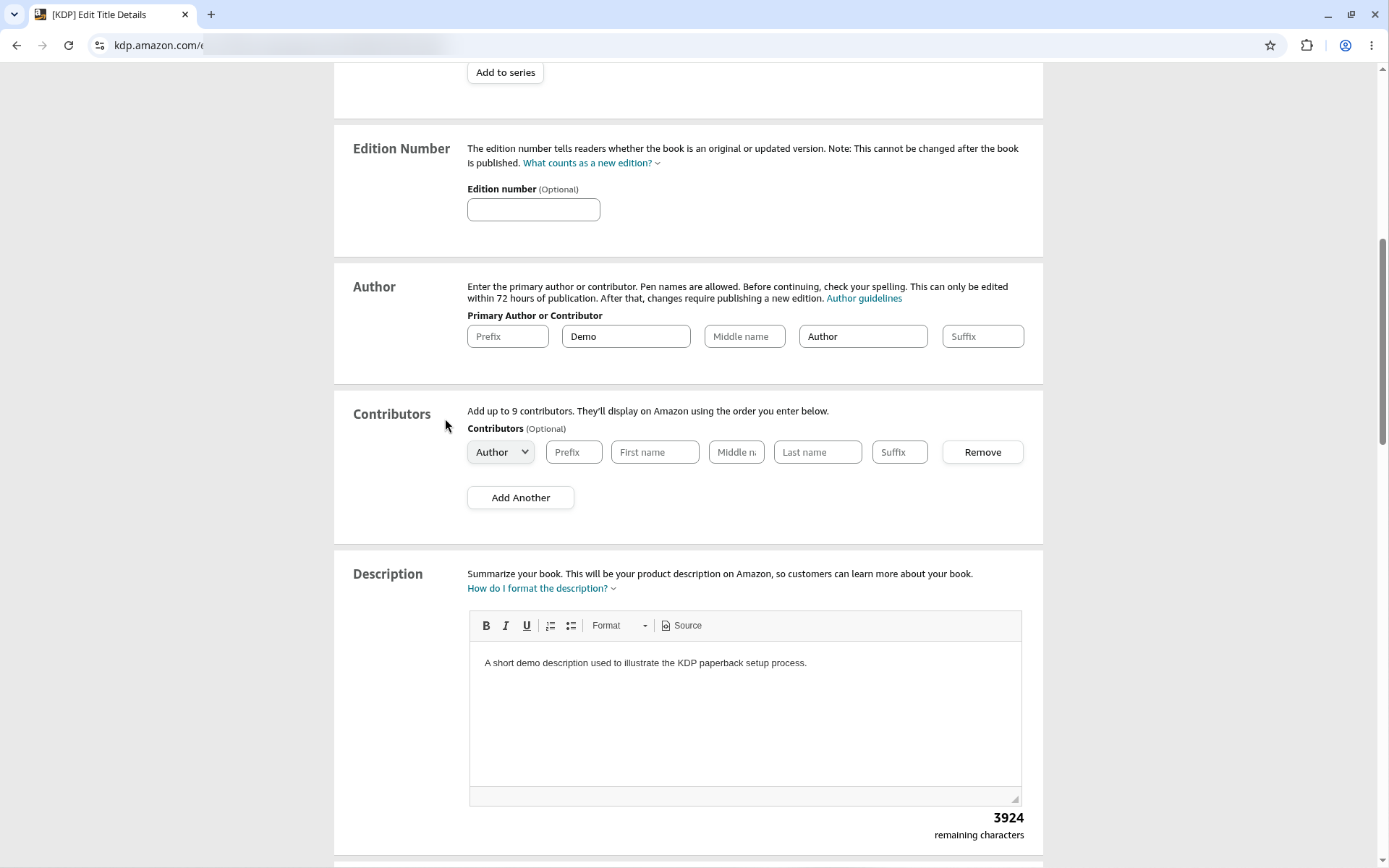
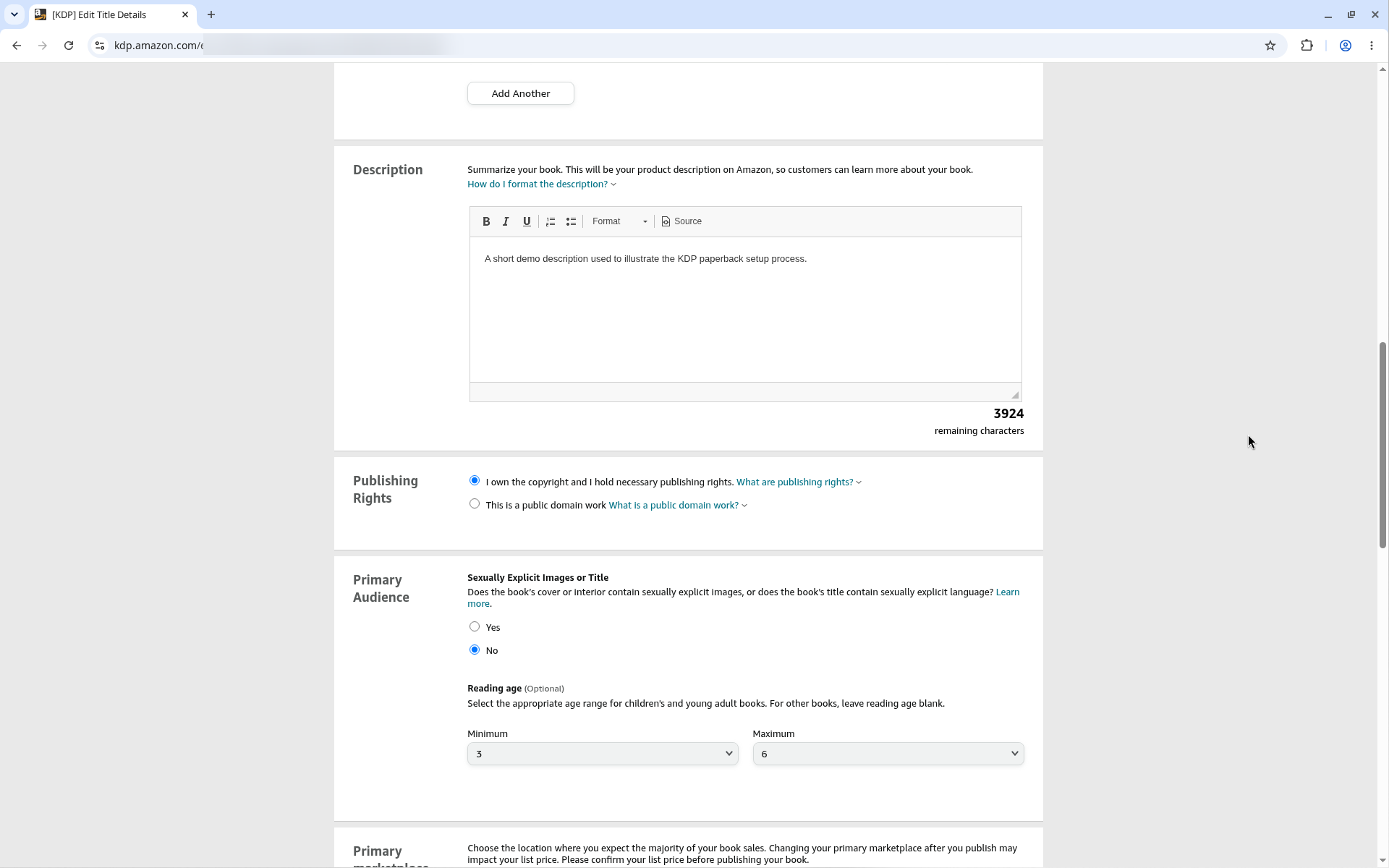
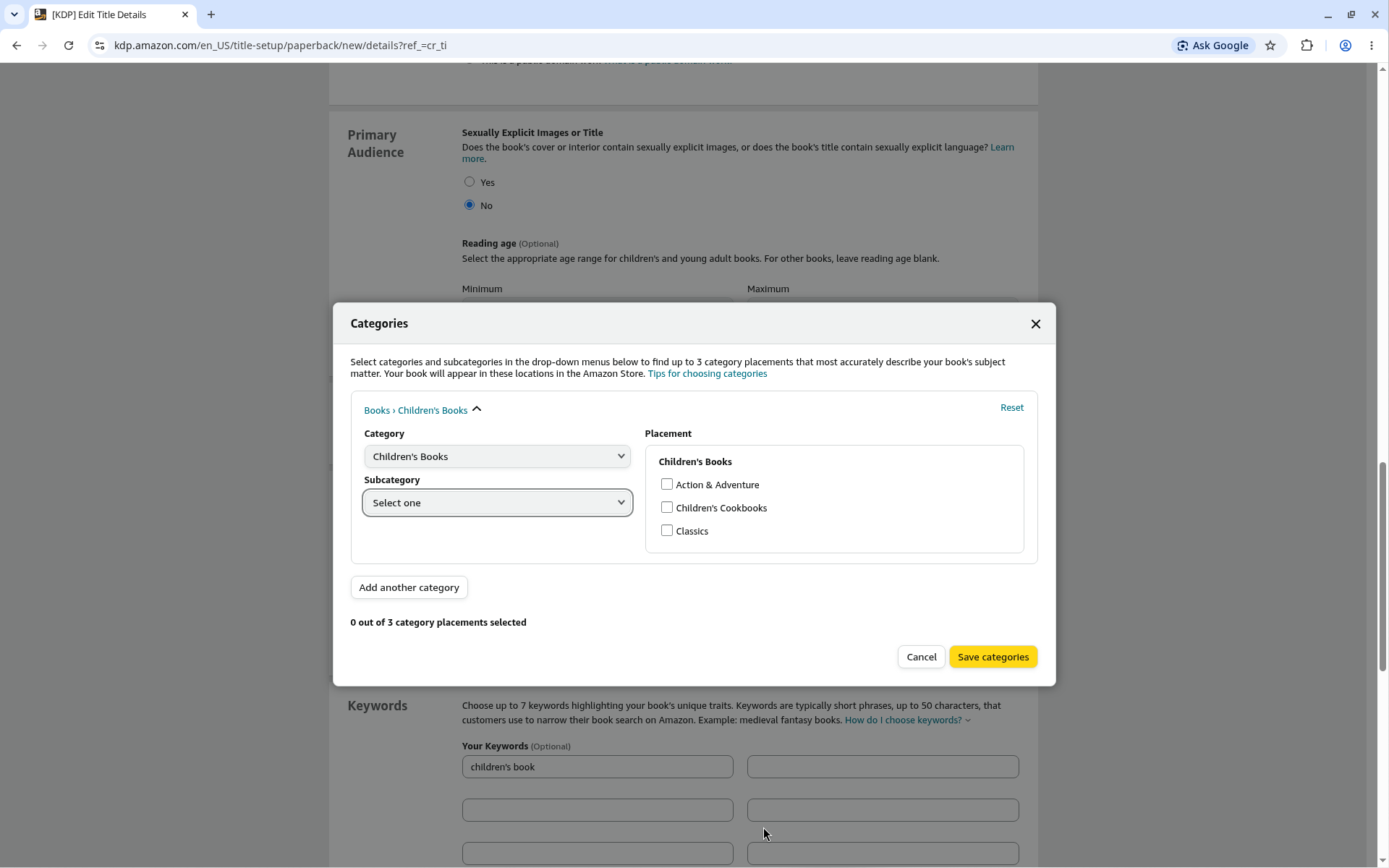
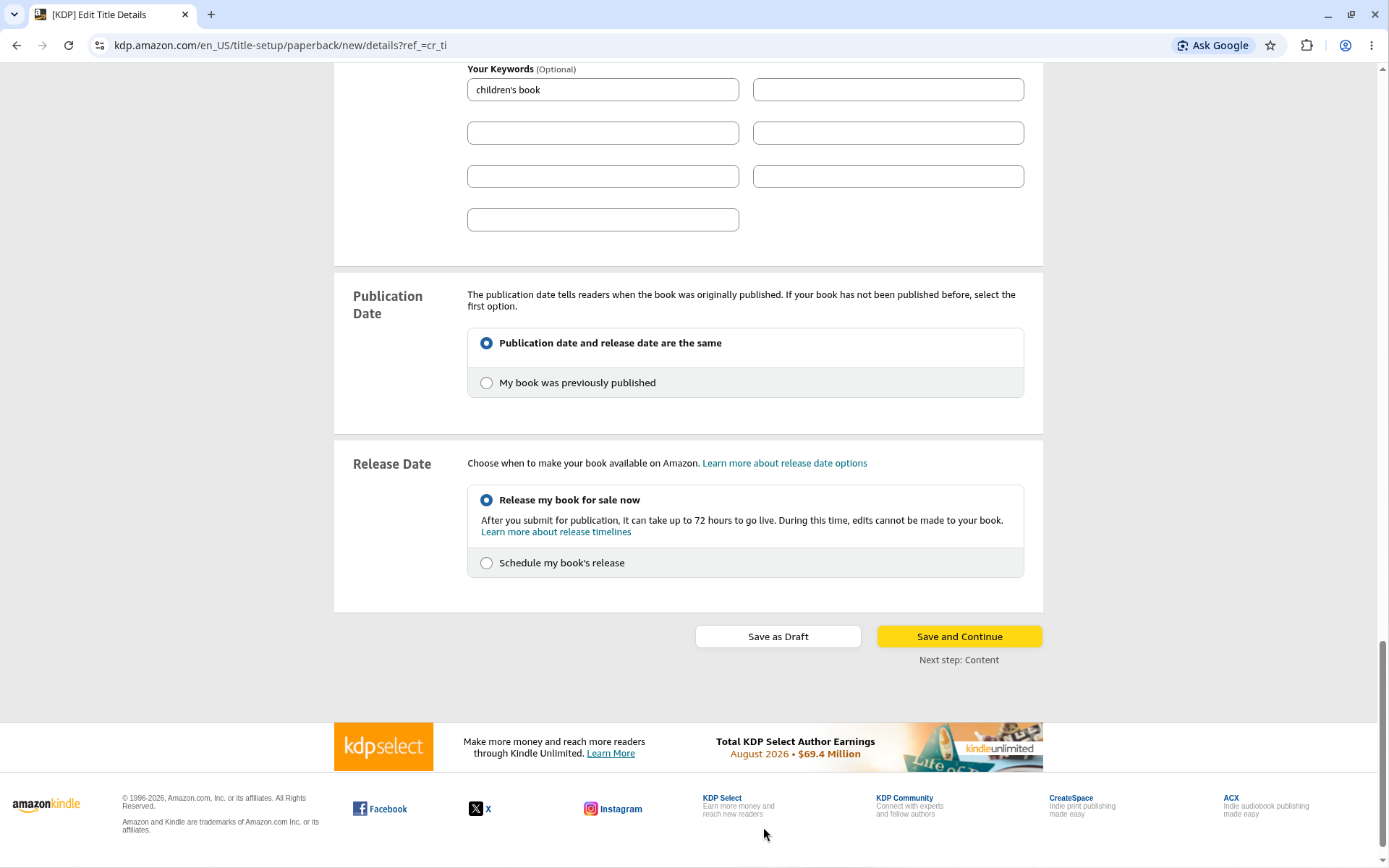
Parents and teachers buy picture books. Say the age range, the theme and what the child will enjoy, in two or three short sentences.
Answer: A paperback needs an ISBN. You can get a free ISBN from KDP or use your own. KDP says: "Each format of your book (paperback vs hardcover) needs its own ISBN," and "eBooks and low-content books are the only formats where an ISBN is optional." (ISBNs)
| Free KDP ISBN | Your own ISBN | |
|---|---|---|
| Where you can use it | "Free ISBNs from us can only be used on KDP." | Anywhere |
| Imprint shown | "Independently published" | Your own imprint (such as your business or brand name) |
| Setup | Assigned in KDP | Enter "the same details (i.e. book title, author name, publisher) in KDP that you used to register the ISBN" |
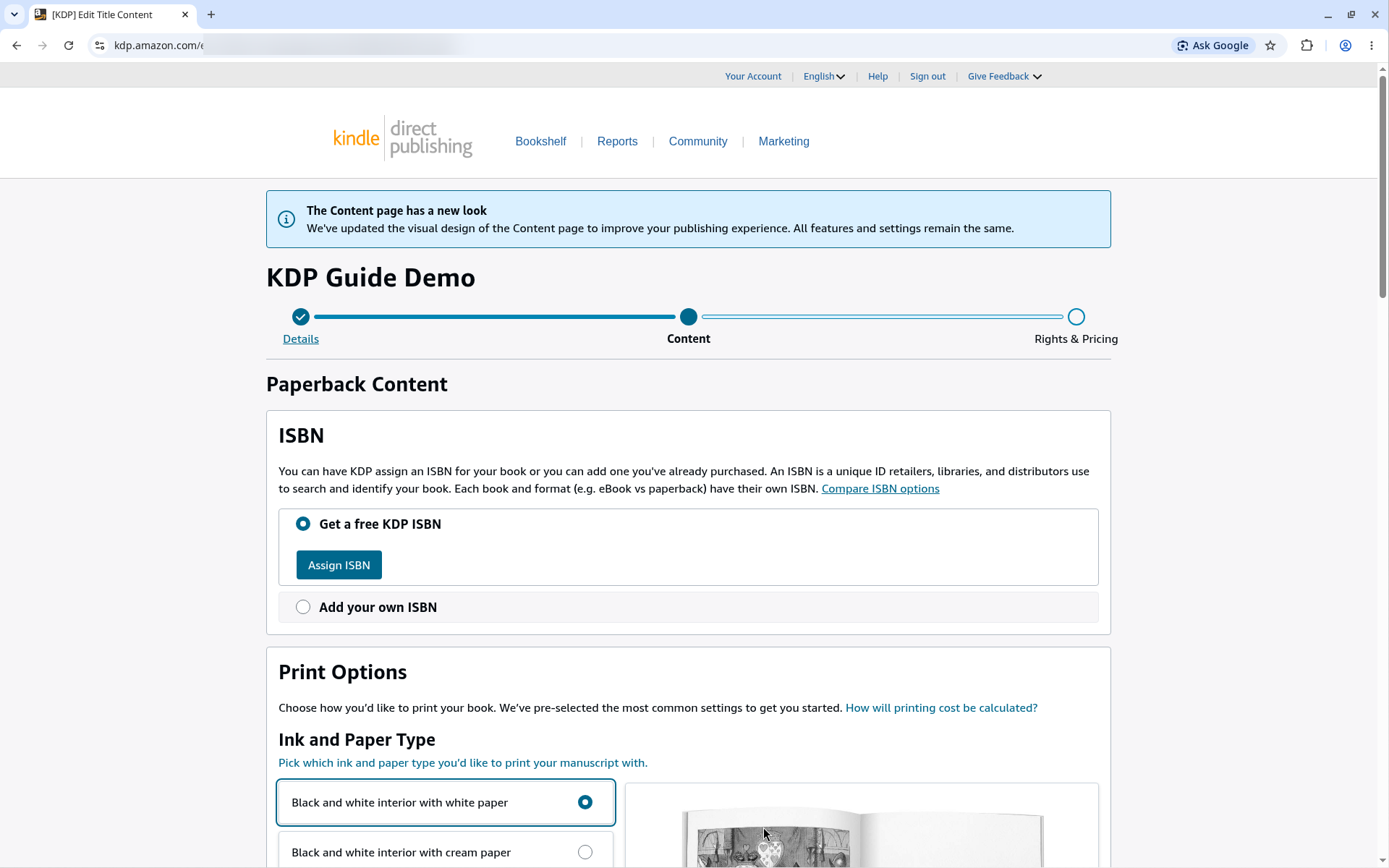
Answer: For a picture book, choose a common square or large trim (for example 8.5" x 8.5" or 8" x 10"), premium color ink, and bleed if any art runs to the page edge. Standard color needs at least 72 pages, so it does not fit most picture books.
Paperback page ranges with premium color ink and white paper (Set Trim Size, Bleed, and Margins):
| Trim size | Shape | Page range | Page size with bleed |
|---|---|---|---|
| 8.5" x 8.5" | Square | 24–590 | 8.625" x 8.75" |
| 8.25" x 8.25" | Square | 24–800 | 8.375" x 8.5" |
| 8" x 10" | Portrait | 24–828 | 8.125" x 10.25" |
| 8.5" x 11" | Portrait | 24–590 | 8.625" x 11.25" |
| 8.25" x 6" | Landscape | 24–800 | 8.375" x 6.25" |
All five are large trims. KDP says: "A large trim size is either more than 6.12 inches (155.5 mm) in width or more than 9 inches (228.6 mm) in height." Large trims cost more to print. For paperbacks you can also enter a custom trim size: "Width must be within 4"-8.5" ... Height must be within 6"-11.69"." (Print Options)
Choose premium color. KDP calls it "ideal for image-heavy color interiors, like children's books." Its minimum page count is 24. Standard color has a minimum of 72 pages. (Color Ink Options)
Bleed lets art reach the page edge. KDP trims each page "by cutting 0.125" (3.2 mm) from the top, bottom, and outside edges." So art that should touch the edge must extend 0.125" past the trim line.
There is no bleed at the gutter (the inside edge). That is why the bleed page is 0.125" wider, not 0.25". For 8.5" x 8.5", the page size with bleed is 8.625" x 8.75".
Based on KDP's published rules (checked Oct 15, 2026). Always confirm in KDP.
For 24 to 150 pages, KDP's margins are (Set Trim Size, Bleed, and Margins):
| Margin | Size |
|---|---|
| Inside (gutter) | 0.375" (9.6 mm) |
| Outside, no bleed | at least 0.25" (6.4 mm) |
| Outside, with bleed | at least 0.375" (9.6 mm) |
Keep all text and faces inside these margins. Art can run into the bleed.
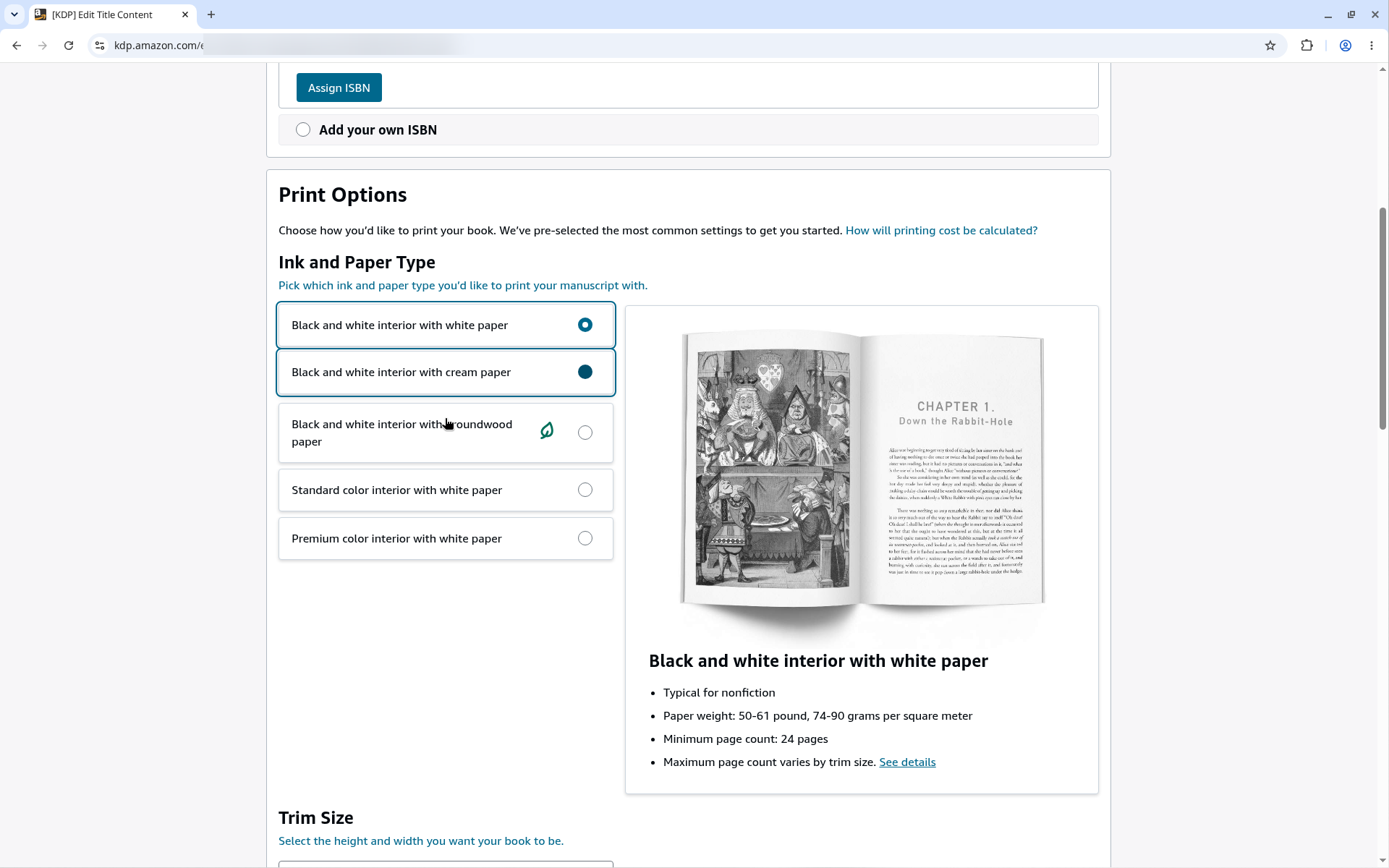
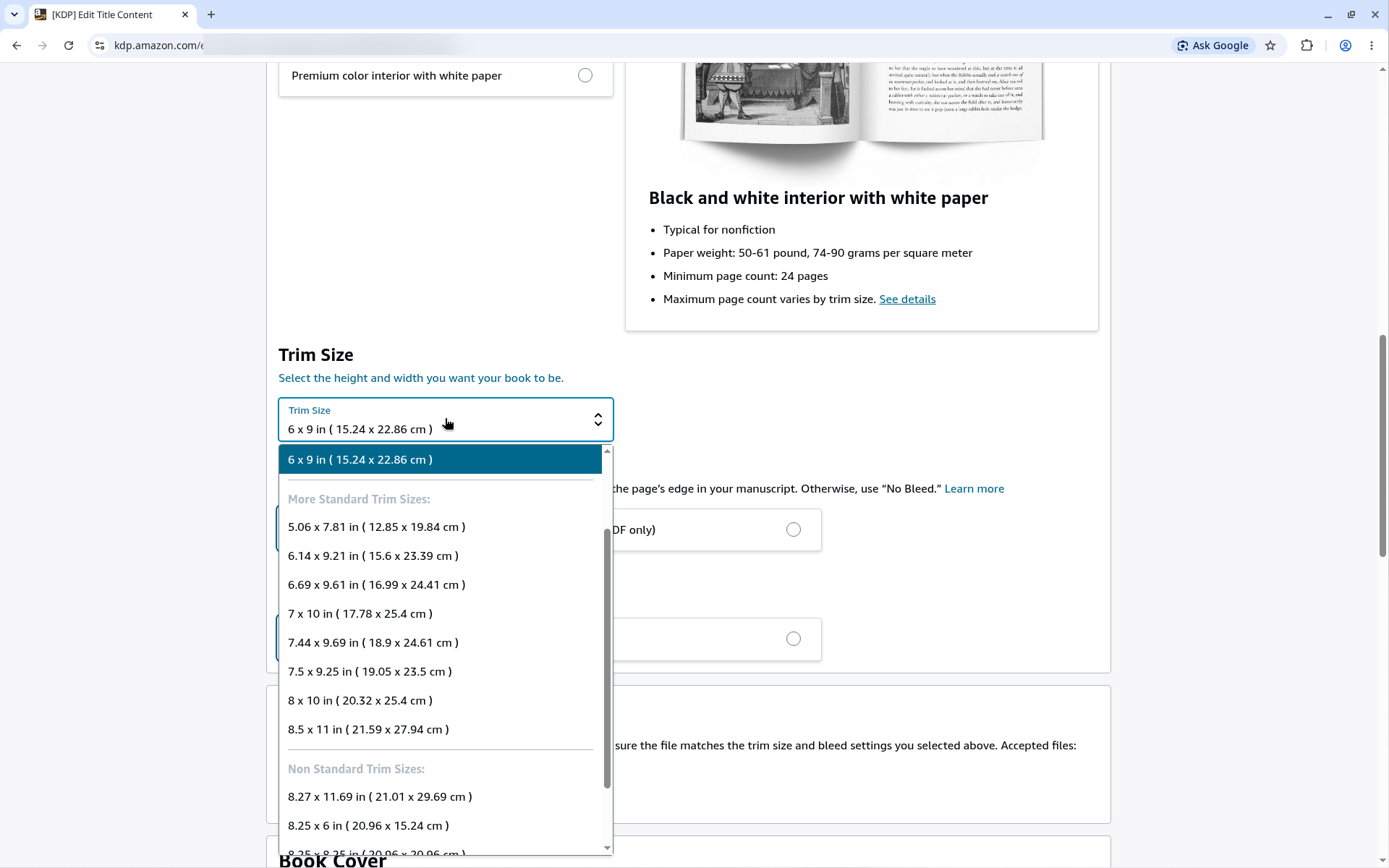
What you'll see: Bleed Settings and Cover Finish. Under the trim size are two choices: "No Bleed" or "Bleed (PDF only)", and "Matte" or "Glossy". For full-page picture-book art, choose "Bleed (PDF only)". Either finish works. KDP help: Set Trim Size, Bleed, and Margins
On a double-page spread, the center of the art falls into the gutter. Keep faces, text and key details away from the center line. Each page of the spread is a separate page in the PDF, so split the spread art into a left page and a right page.
Answer: Export one PDF at the page size with bleed, with an even page count of at least 24 pages. KDP says: "If your book has images or elements that bleed to the edges of your pages, you must upload your manuscript as a PDF."
Checklist from KDP's Paperback Submission Guidelines:
For how the pages of a 32-page book are planned, see how many illustrations a 32-page picture book needs.
US Illustrations makes children's book illustrations. Our art is 100% human-made. Clients get full ownership of the art by default. The standard timeline is about 4–6 weeks per book. Start with a free colored sample of your character. For costs, see illustration pricing and the cost guide. To get an accurate quote, use our 7-point quote checklist.
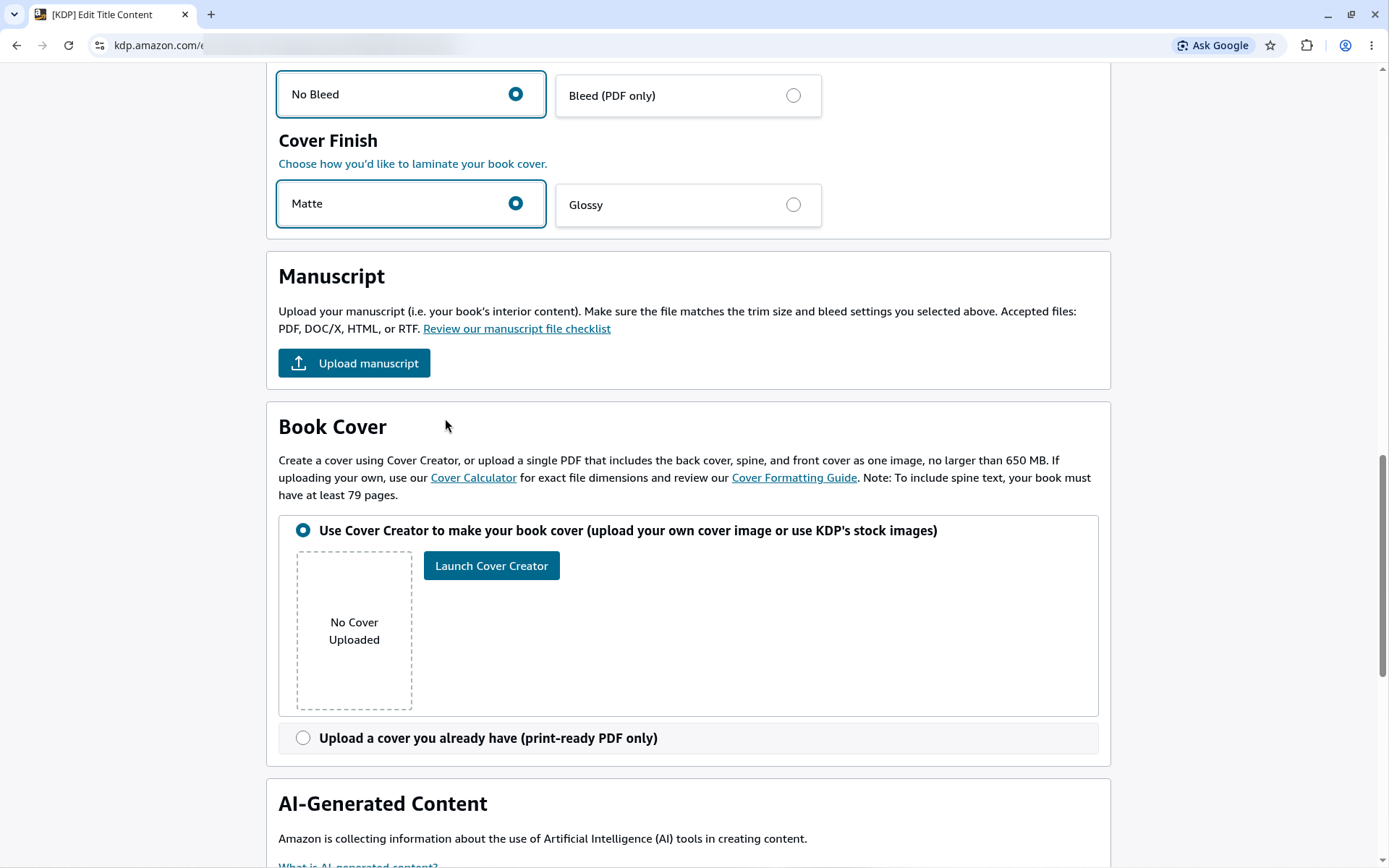
Answer: Upload one print-ready PDF that holds the back cover, spine and front cover as one image, or use KDP's free Cover Creator. Get the exact size from KDP's cover calculator. KDP says: "Your cover must be a single PDF file that includes the back cover, spine, and front cover as one image." (Create a Paperback Cover)
Get the spine width from KDP's cover calculator. This helper does not calculate the spine.
KDP hardcovers are case laminate: "We print case laminate" covers, with no dust jacket (Hardcover). Cover images extend "0.51” (15 mm) past the edge of the front cover" to wrap around the board. Text and images should be "0.635” (16 mm) from the edge of the book." There is a "0.4” (10 mm)" spine hinge with no text or barcode (Hardcover Cover). Standard color ink is not available for hardcover.
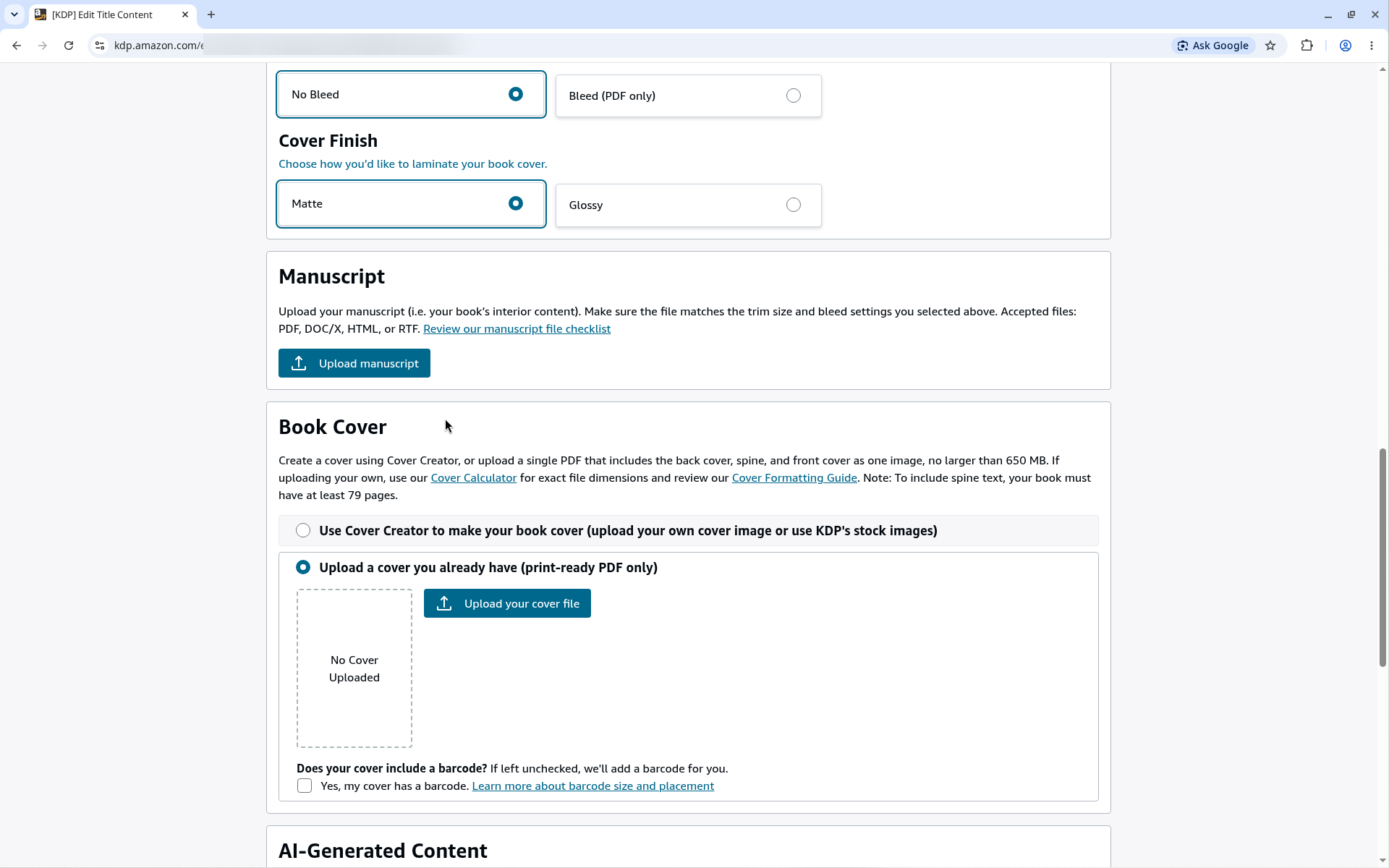
What you'll see: the KDP cover calculator. Use KDP's cover calculator to get exact cover dimensions and download a template. You enter the binding type and your book's specs, and it shows the full cover size. KDP help: KDP Cover Calculator
Answer: Paperback royalty = (royalty rate x list price) − printing cost. On Amazon.com the rate is 50% at a list price of 9.98 USD or below, and 60% at 9.99 USD or above. (Paperback Royalty)
KDP's formula is "Fixed cost + (page count * per page cost) = printing cost." For premium color paperbacks on Amazon.com (Paperback Printing Cost):
| Page count | Regular trim | Large trim |
|---|---|---|
| 24–40 pages | 3.60 USD per book | 4.20 USD per book |
| 42–828 pages | 1.00 USD + 0.065 USD per page | 1.00 USD + 0.08 USD per page |
"Bleed settings and cover finish don't affect printing cost."
A 32-page, 8.5" x 8.5" (large trim), premium color paperback, sold on Amazon.com:
This is example math from KDP's published formula. It is not a promise of earnings. Use KDP's Printing Cost & Royalty Calculator for your book.
Estimate only, from KDP's published formula. Use KDP's Printing Cost & Royalty Calculator for your book.
What you'll see: pricing and royalty. On the pricing page you enter a list price for each marketplace. KDP works out the royalty as "(Royalty rate x list price) – printing costs = royalty". The list price must be "within KDP's range of minimum and maximum list prices." KDP help: Paperback Royalty
Answer: Launch the Print Previewer and check every page. KDP says this step "is required." Then order a printed proof before you publish.
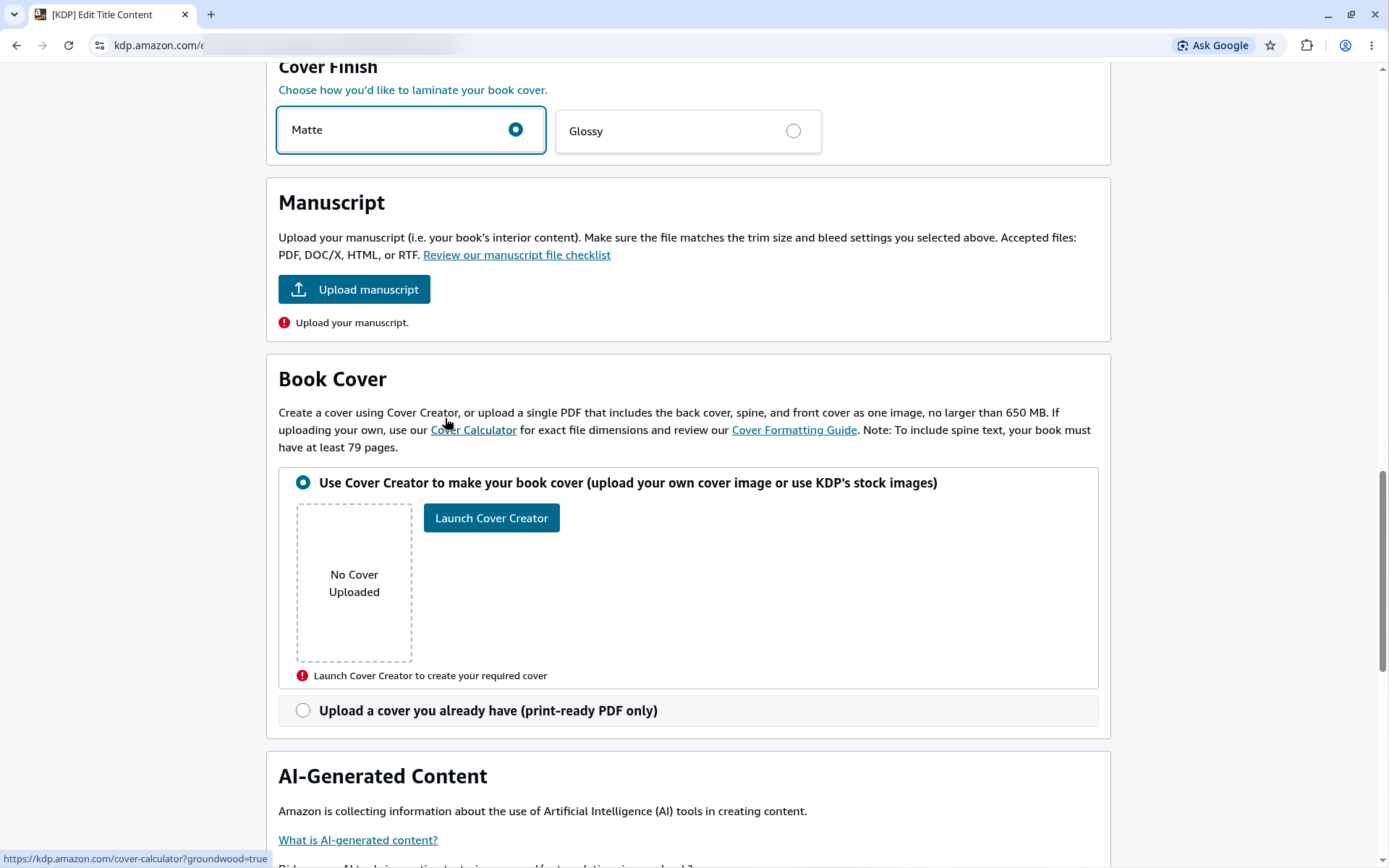
What you'll see: the Print Previewer. KDP says: "Our Print Previewer tool shows you what your paperback will look like before you publish it. Print Previewer also checks for errors you need to fix before submitting for publication." Open it with "Launch Previewer" in the Book Preview section. KDP help: Upload and Preview Book Content
Answer: When the Rights & Pricing page is complete, click the publish button. KDP says it takes 3 business days for a book to go live. The paperback detail page can take up to 72 hours to appear on Amazon.com. (Timelines)
What you'll see: the publish button. The publish button sits at the bottom of the pricing page. It becomes active once your Details, Content and Pricing are complete. KDP says: "Once you click Publish Your Book, the review process begins." KDP help: Title Setup: Book Details, Content, & Pricing
What you'll see: "In Review" on your Bookshelf. After you publish, the book shows as In Review. KDP says: "You won't be able to make any changes while your book is In Review. Your review can't be cancelled or expedited." KDP help: Paperback Content
Answer: Use Kindle Create. KDP says: "When you import your PDF, PNG, or JPEG files into Kindle Create, your file is converted to an illustrated, comic, or kids' eBook." Then export the file and upload it as a separate eBook. (Prepare Comic and Kids' eBooks)
An eBook does not need an ISBN. eBook royalties have two options: 35% and 70%. The 70% option is paid "less delivery costs" and only for sales in the 70% territories. (eBook Royalties)
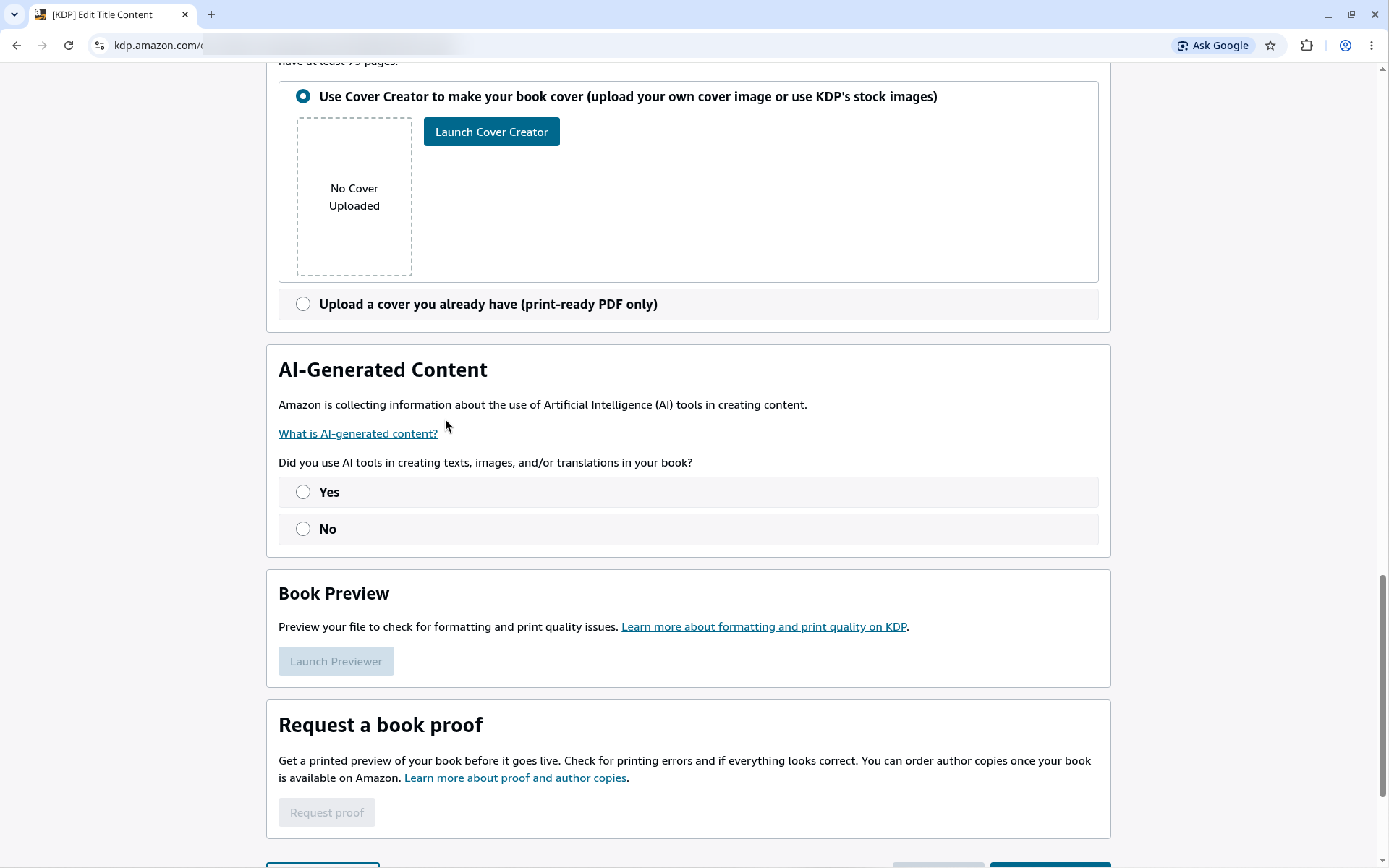
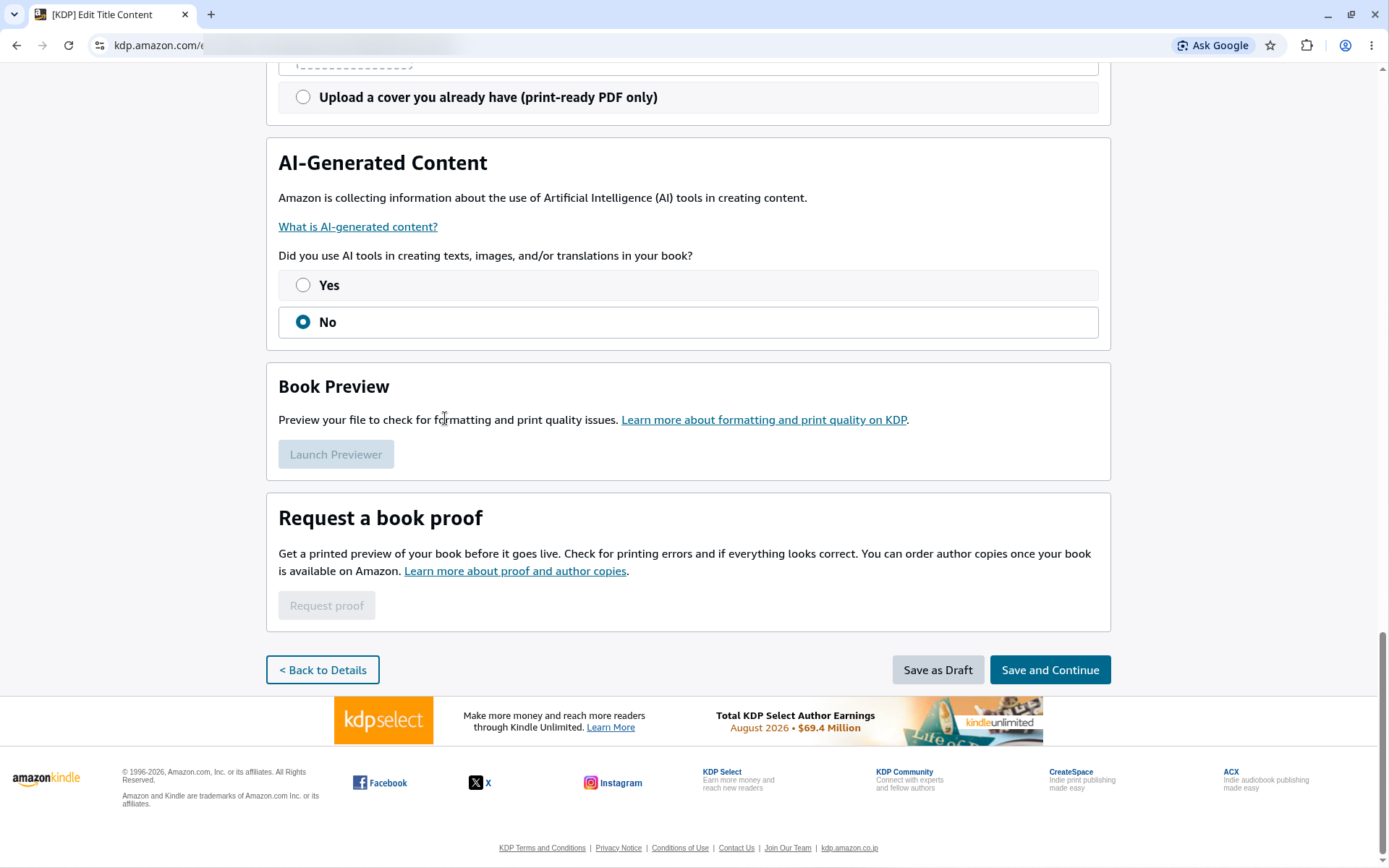
KDP says: "We require you to inform us of AI-generated content (text, images, or translations) when you publish a new book." This "include[s] cover and interior images and artwork." "You are not required to disclose AI-assisted content." (Content Guidelines) The question is on the Paperback Content page (see the AI-Generated Content screenshot above). For the full rules and the copyright side, read Can you use AI illustrations in a children's book on KDP?
1. Is it free to publish a children's book on KDP? Yes. "Kindle Direct Publishing is free to use." KDP takes the printing cost from each paperback sale. You pay only for proof or author copies you order, plus shipping.
2. What do I need to set up a KDP account? An Amazon sign-in (optional), your name, address and phone number, bank details, and tax information.
3. Do I need an ISBN for a children's book on KDP? Yes, for a paperback or hardcover. You can use a free KDP ISBN (KDP only) or your own. An eBook does not need one.
4. What trim size is best for a picture book on KDP? There is no single best size. Square 8.5" x 8.5" and 8.25" x 8.25", portrait 8" x 10", and landscape 8.25" x 6" all work with premium color from 24 pages.
5. What is bleed, and what page size do I use with bleed? Bleed is art that runs past the trim line so it reaches the page edge. Make each page 0.125" wider and 0.25" taller than the trim. For 8.5" x 8.5", use 8.625" x 8.75".
6. What is the minimum page count for a KDP children's book? 24 pages for a paperback. 72 pages for standard color. 75 pages for a hardcover.
7. What file format does KDP need? A PDF for an interior with bleed. A single print-ready PDF for the cover, or KDP's Cover Creator.
8. Can a 32-page book have spine text? No. KDP needs about 79 pages or more for spine text (its two help pages say "at least 79" and "more than 79").
9. Premium color or standard color? Premium color. Standard color needs at least 72 pages.
10. How much does it cost to print a children's book on KDP? For a 24–40 page premium color paperback on Amazon.com, KDP lists 3.60 USD (regular trim) or 4.20 USD (large trim) per book.
11. How much royalty do I make on a children's paperback? (Royalty rate x list price) − printing cost. The rate is 60% at 9.99 USD or above on Amazon.com, and 50% below. Example: a 32-page 8.5" x 8.5" book at 9.99 USD earns about 1.79 USD per copy (estimate).
12. Can I publish a hardcover children's book on KDP? Only if it has at least 75 pages. A 32-page picture book cannot be a KDP hardcover.
13. How do I make a Kindle eBook of a picture book? Import your PDF, PNG or JPEG files into Kindle Create. It converts them to a kids' eBook.
14. How long does KDP review take? KDP says it takes 3 business days for a book to go live. The paperback detail page can take up to 72 hours to appear on Amazon.com.
15. How do I order a proof copy? Use "Request a book proof" on the Paperback Content page. You pay the print cost per copy, plus shipping.
16. Must I disclose AI illustrations? Yes, if the images are AI-generated. AI-assisted edits do not need to be disclosed. See our AI and KDP guide.

Ready to see your story in color?

